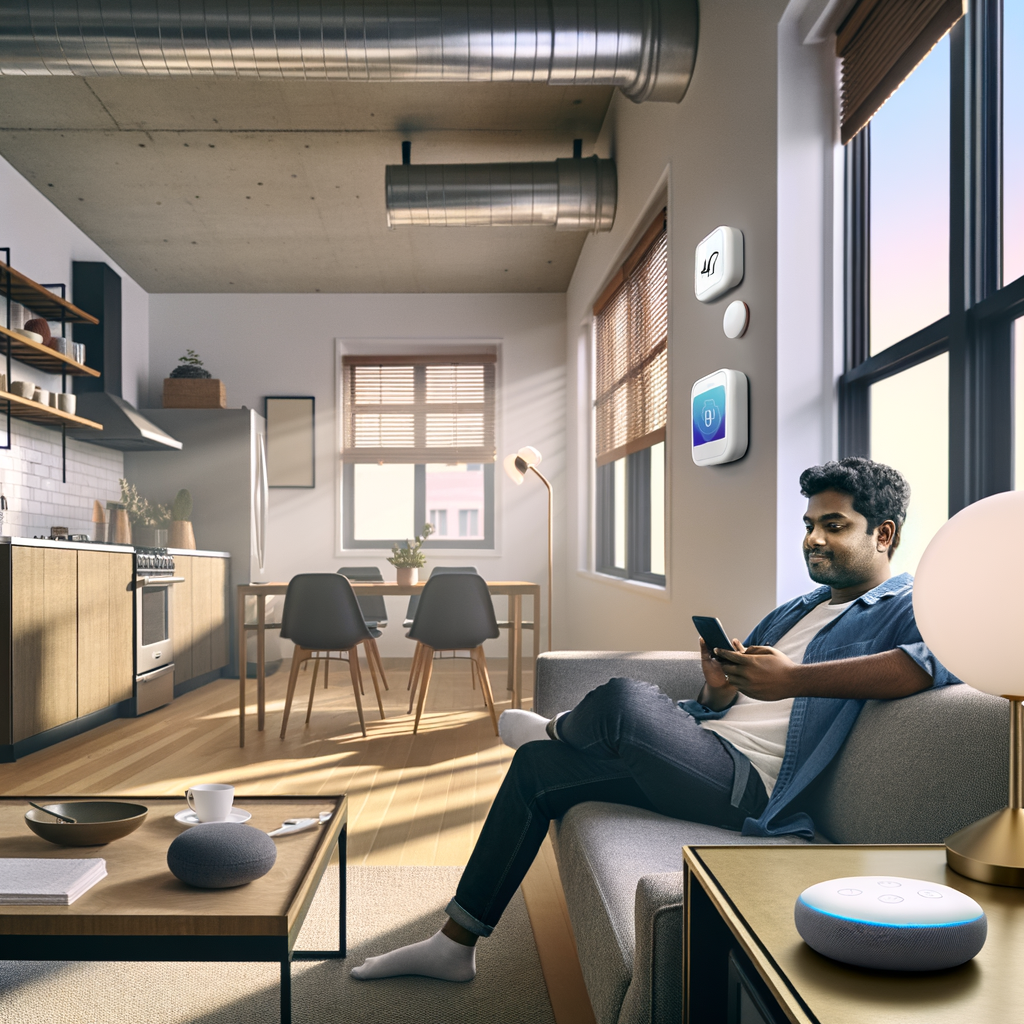
Myth-Busting Smart Home Tech: 7 Common Misconceptions Renters Believe About Energy-Efficient Gadgets
As a renter, you might feel like the world of smart home technology—and its promise of greater energy efficiency—is off limits. Maybe you think it’s too expensive, too complicated, or not worth the trouble since you don’t own your space. But these assumptions often miss the mark! It’s time to clear up the confusion so you can save energy, money, and even time, no matter where you live.
Let’s break down the seven most common myths renters believe about smart home gadgets and see how you can use these tools to your advantage.
1. Myth: Smart Home Gadgets Require Permanent Installation
Many renters worry that smart devices can’t be installed without drilling holes, rewiring, or making other permanent modifications. But technology is on your side. Most energy-efficient smart home products are designed for easy installation and removal—perfect for renters!
How to Rent-Proof Your Smart Tech
- Plug-and-play devices: Many smart plugs, bulbs, and sensors simply plug into existing outlets or screw into light fixtures.
- No-drill mounting: Devices like smart thermostats now offer adhesive strips or magnetic mounts. They can be removed cleanly when you move out.
- Wireless connectivity: Most gadgets connect via Wi-Fi or Bluetooth, requiring no complex wiring.
Action Step: Look for renter-friendly or “no tools required” labels when shopping for smart home gear. Always keep the original packaging to help with a clean uninstallation process.
2. Myth: Smart Home Devices Are Too Expensive
It’s a common belief that you need to spend thousands of dollars to transform your home into a smart, energy-efficient space. While some smart tech is pricey, there are many affordable options that deliver real savings—sometimes paying for themselves within a year.
Budget-Friendly Energy-Saving Gadgets
- Smart plugs: Start for under $20
- LED smart bulbs: Often less than $15 each
- Basic smart thermostats: Some models available for under $100 and often eligible for utility rebates
- Smart power strips: Help prevent phantom energy use for around $30
Action Step: Prioritize devices that tackle your biggest energy uses—like lighting and heating/cooling. Check local energy company rebates to lower your initial investment.
3. Myth: You Need a Homeowner’s Permission
Many renters avoid smart home upgrades believing they’ll violate lease agreements. While it’s important to respect your rental agreement, most smart home devices require minimal or no alterations.
When to Check with Your Landlord
- If the device requires drilling or rewiring, always ask first.
- Simple gadgets like smart bulbs or plugs usually don’t need approval.
- Upgrades like smart thermostats may require swapping the current unit—get written permission.
Action Step: Before installing, review your lease for specifics. Communicate openly with your landlord, emphasizing how these devices can improve property value and save on utilities.
4. Myth: Smart Home Devices Don’t Work in Apartments
Some renters think that smart home products are only suitable for single-family homes or large apartments. The truth? Modern smart devices are more modular and adaptable than ever.
Why Smart Tech Is Perfect for Apartments
- Wi-Fi and Bluetooth-based: Work in all home types and sizes.
- Portable: Take them with you when you move.
- Expandable: Start small, like with a few smart bulbs, and add gadgets over time.
- No “central hub” needed: Many devices are standalone.
Action Step: Start with one room—like your living room or bedroom. Test out devices to see which ones fit your lifestyle before committing to more.
5. Myth: Smart Tech Is Difficult to Set Up and Use
Complexity is one of the biggest fears for renters new to energy-efficient gadgets. But most brands have made the process simple—even for tech beginners.
How Easy Setup Works Today
- Mobile apps: Most devices come with intuitive apps that guide installation step-by-step.
- QR codes: Scan with your phone for instant pairing.
- Voice assistants: Easily link to Alexa, Google Assistant, or Siri.
- Automatic firmware updates: Devices stay up to date in the background.
Action Step: Review setup guides before buying and read user reviews for a sense of the installation process. Many companies offer how-to videos if you get stuck.
6. Myth: Smart Home Devices Use More Energy Than They Save
It’s natural to wonder if the energy it takes to run “smart” devices offsets any savings they provide. But research shows most gadgets, when used wisely, drastically reduce overall energy consumption.
Where Do Smart Devices Help Most?
- Smart thermostats: Save up to 10-12% on heating and 15% on cooling costs annually.
- LED smart bulbs: Use 75% less energy than incandescent lighting.
- Smart plugs & power strips: Automatically cut off power to idle electronics, reducing “vampire” energy drain.
Action Step: Make the most of automation features like schedules, occupancy sensors, and remote access. Create custom routines to avoid wasting energy when you’re away or asleep.
7. Myth: Smart Home Tech Doesn’t Make a Difference for Renters
Some renters believe the impact of energy-efficient gadgets is too small to bother. In reality, small changes add up—especially over a year or during peak energy months.
Real-Life Savings for Renters
- Swapping out 5-10 bulbs for smart LEDs can save up to $100 per year.
- Smart thermostats can quickly pay for themselves, especially in regions with extreme temperatures.
- Smart power strips can save an extra $20-60 per year in “phantom” energy savings.
Action Step: Track your monthly utility bills to see the impact. Many smart devices offer built-in energy monitoring, providing instant feedback on your usage and habits.
Other Myths Worth Busting
Is Smart Tech Only for High-Tech Enthusiasts?
- Fact: Modern devices are user-friendly, with plenty of apps and support resources.
Will Smart Devices Make My Home Less Secure?
- Fact: While smart devices do connect to Wi-Fi, using strong passwords and two-factor authentication keeps your data safe.
How to Get Started with Energy-Efficient Smart Tech as a Renter
Ready to take your first step? Here’s a simple roadmap:
- Identify your biggest utility expenses (lighting, heating/cooling, electronics).
- Choose renter-friendly smart devices that tackle those areas.
- Install one device at a time to see how it fits your routine.
- Set up schedules and automations through the device’s app.
- Measure before-and-after energy consumption to confirm savings.
Remember, even a few small changes can yield significant results over time!
Bonus Tips for Renters: Maximizing Energy Efficiency with Smart Tech
- Leverage voice controls: Set routines for shutting off lights, adjusting temperatures, or turning off devices with a simple command.
- Utilize geo-fencing: Many smart apps let you automate settings based on your location—like turning off the air when you leave.
- Try occupancy sensors: Use in rooms like bathrooms or laundry areas for lights that shut off automatically.
- Don’t forget about window coverings: